
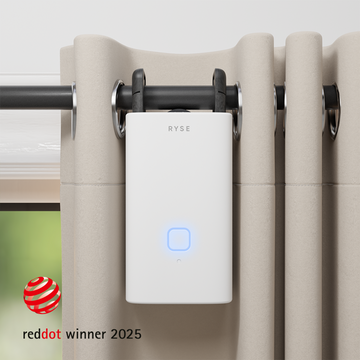

Your Shades, Your Rules: 12 Creative Ways to Automate RYSE With IFTTT

One member of the RYSE team once connected their SmartShades to their Facebook status. Post an update, and the shades moved. Was it practical? Not really. Was it fun? Absolutely. It also shows what makes IFTTT one of the most underused features of the RYSE SmartBridge: almost anything on the internet can become a reason for your shades to open or close.
Schedules and voice commands cover the basics. IFTTT is where your home starts reacting to your life, from the weather outside to the playlist you are building to the moment you leave the office.
What Is IFTTT?
IFTTT stands for "If This, Then That." You build small automations called applets. Each one pairs a trigger (the "If This") with an action (the "Then That"). IFTTT connects to more than a thousand apps and devices, including weather services, calendars, fitness trackers, music apps, social platforms, and email. When RYSE is one of those connections, any of those triggers can move your shades and curtains.
What RYSE Can Do on IFTTT
The RYSE service on IFTTT gives you three building blocks:
- Change Position For a RYSE Device. An action that moves one SmartShade or SmartCurtain to the position you choose.
- Change Position For Group Of RYSE Devices. An action that moves a whole group at once. Groups are created in the RYSE app first, as explained in RYSE's guide to creating a group of up to 10 shades.
- Get RYSE Device Position. A trigger (and, on IFTTT Pro+, a query) that reports how open a device is as a percentage. This lets your shades set other things in motion, not just respond to them.
Because you set a position rather than just "open" or "closed," every applet can be precise. Half open for glare, 20 percent for privacy, fully open for a sunny morning.
What You Need
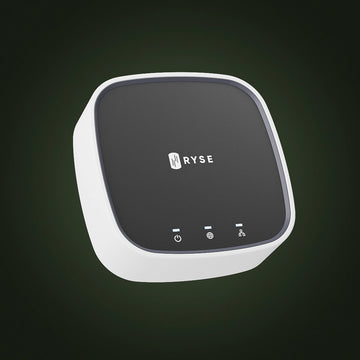
IFTTT is a SmartBridge feature. SmartShades and SmartCurtains controlled only through Bluetooth cannot connect to IFTTT, because IFTTT needs a way to reach your devices over the internet. The RYSE SmartBridge provides that link. Here is the full checklist:
- A RYSE SmartShade or SmartCurtain connected to a SmartBridge in the RYSE app
- Any groups you want to control, set up in the RYSE app ahead of time
- A free IFTTT account and the IFTTT app on your phone
How to Connect RYSE to IFTTT
- Visit ifttt.com/ryse or search for RYSE in the IFTTT app, then tap Connect.
- Sign in with your RYSE account and approve access.
- Tap Create to start a new applet. Under "If This," choose your trigger service, such as Weather Underground, Location, or Google Calendar.
- Under "Then That," choose RYSE, then pick the single device or group action.
- Select the device or group and set the position you want. Save, and the applet is live.
That is the entire setup. The fun part is deciding what should trigger your shades.
12 Creative Ways to Use RYSE With IFTTT
Just for Fun
1. The social media sunrise. Use the Facebook trigger "New status message by you with hashtag" so that posting with a tag like #goodmorning opens your bedroom shades. The hashtag version keeps every ordinary post from moving your windows. Consider this the official tribute to our teammate's experiment.
2. The playlist curtain call. Create a Spotify playlist called "Curtain Call." With the trigger "New track added to a playlist," adding any song to it closes the living room curtains. Queue up your movie night soundtrack and the room gets ready at the same time.
3. Stream mode. If you stream on Twitch, the trigger "New stream started by you" can close the shades behind your desk to cut glare on camera. This is a Pro trigger on IFTTT.
4. Snow day reveal. Weather Underground's "Current condition changes to" trigger can open your front window shades the moment it starts snowing, so the first flakes never go unnoticed.
Practical and Clever
5. Shades by email. IFTTT's Email service lets you trigger an applet by sending a message to trigger@applet.ifttt.com with a hashtag in the subject, such as #shadesdown. Any email account works, on any device, even one without the RYSE app installed.
6. Leaving home, closing up. The Location trigger "You exit an area" can lower a whole group of shades when you drive away. Pair it with "You enter an area" to open the living room as you pull into the driveway, a welcome home that happens before you reach the door.
7. Calendar-aware lighting. Google Calendar's "Event from search starts" trigger watches for keywords. Any event with "Call" in the title can set your office shade to 60 percent for softer, more flattering light on video. Any event with "Focus" can lower the shade to cut screen glare.
8. UV protection for your floors and furniture. Weather Underground's "Current UV index rises above" trigger can lower south-facing shades to half on bright afternoons, protecting hardwood, rugs, and upholstery from sun fading while still letting light in.
9. Wake up when your sleep is logged. If you wear a Fitbit, the trigger "New sleep logged" fires once your sleep data syncs in the morning. Use it to open the bedroom shades after you are actually up, instead of at a fixed time.
Let Your Shades Start the Chain
10. Shade opens, coffee starts. Use Get RYSE Device Position as your trigger and a smart plug as your action. When the bedroom shade opens, the coffee maker turns on.
11. A daylight diary. Send each position report to Google Sheets with the "Add row to spreadsheet" action. Over a few weeks, you will have a record of when your home actually opens up and closes down, which is useful for fine-tuning your routines.
12. One-tap buttons anywhere. The IFTTT Button Widget puts a custom button on your phone's home screen, and a Flic smart button can do the same on a wall or nightstand. One tap can send a group of shades to any position you choose, such as a "Reading Nook" preset at 40 percent.
IFTTT Triggers at a Glance
| Idea | IFTTT trigger service | What RYSE does | Speed |
|---|---|---|---|
| Social media sunrise | Opens bedroom shades | Realtime | |
| Shades by email | Moves any device or group | Realtime | |
| Leaving home | Location | Closes a group | Realtime |
| One-tap presets | Button Widget or Flic | Sets a custom position | Realtime |
| Playlist curtain call | Spotify | Closes curtains | Polling |
| UV protection | Weather Underground | Lowers shades to half | Polling |
| Calendar-aware lighting | Google Calendar | Adjusts office shade | Polling |
| Shade opens, coffee starts | RYSE | Starts the chain | Polling |
Tips for Applets That Behave
- Know your trigger speed. Realtime triggers, like Location, Email, and Button Widget, usually fire within seconds. Polling triggers are checked on a schedule: every 5 minutes on IFTTT Pro and Pro+, and about once an hour on the free plan. Use realtime triggers for anything that needs to feel instant.
- Use groups for multi-panel windows. If one window has two SmartShades, or a pair of SmartCurtains, control them as a group so they always move together.
- Add a hashtag or keyword filter. Triggers tied to a specific hashtag, playlist, or calendar keyword keep your shades from moving every time you post, listen, or schedule something.
- Avoid tug-of-war. If a RYSE routine closes a shade at 9 PM and an applet opens it at 9 PM, one will undo the other. Review your RYSE routines when adding new applets.
- Check your IFTTT plan. The free plan covers a limited number of applets with one action each. IFTTT Pro adds more applets and multiple actions per applet, and Pro+ adds queries and filter code for more advanced logic.
Make Your Home a Little More Fun
Smart shades do not have to be all business. With the SmartBridge and IFTTT, your windows can respond to a hashtag, a snowfall, a new playlist track, or the moment you leave work. Start with one applet that solves a real problem, then add one that simply makes you smile. For a full list of ways to control your devices, see RYSE's guide on how to control your SmartShades, then head to ifttt.com/ryse and start building.
Share with your community!
In this article
Sign up for our newsletter
Latest from experts

Your Shades, Your Rules: 12 Creative Ways to Automate RYSE With IFTTT

Can Smart Shades Make Your Home Look Occupied While You're Away? A Guide to Vacation Security Routines
